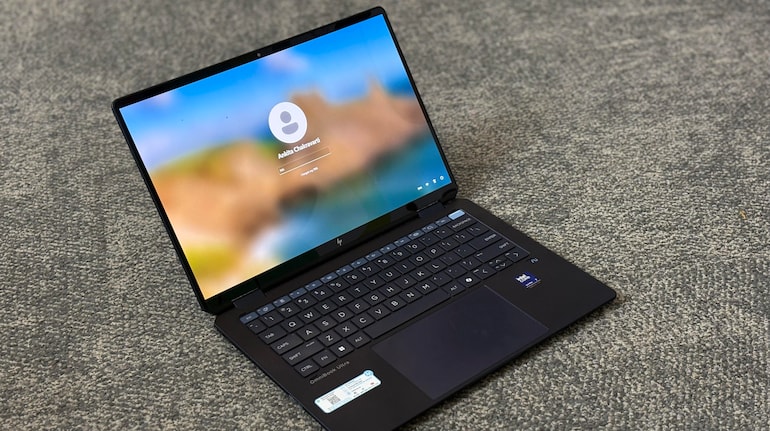
As someone who carries her laptop to work every day and almost everywhere I go, I always prefer laptops that are lightweight, fit easily into my bag, are performance-driven, and do not compromise on battery life. Till now, Apple’s MacBook Air M1, which is my daily driver, has come closest to my requirements. That being said, the HP OmniBook Ultra Flip also fits this description perfectly.
The OmniBook Flip is ultra-thin, it features a lightweight design, and comes with AI capabilities (surprise, surprise). Is it even a laptop these days if it doesn’t have AI features? The device is designed keeping ‘Pros’ in mind — those with heavy coding jobs, creatives like graphic designers, and, video editors.
Over the past few weeks, I have used the OmniBook as my daily driver for tasks ranging from writing and video calls to using photo editing software. Keep in mind though, the OmniBook Ultra Flip is an expensive proposition as it comes with a hefty price tag of Rs 189,999. Does it make sense to spend a fortune on this laptop or should you look for cheaper alternatives? Let us find out.
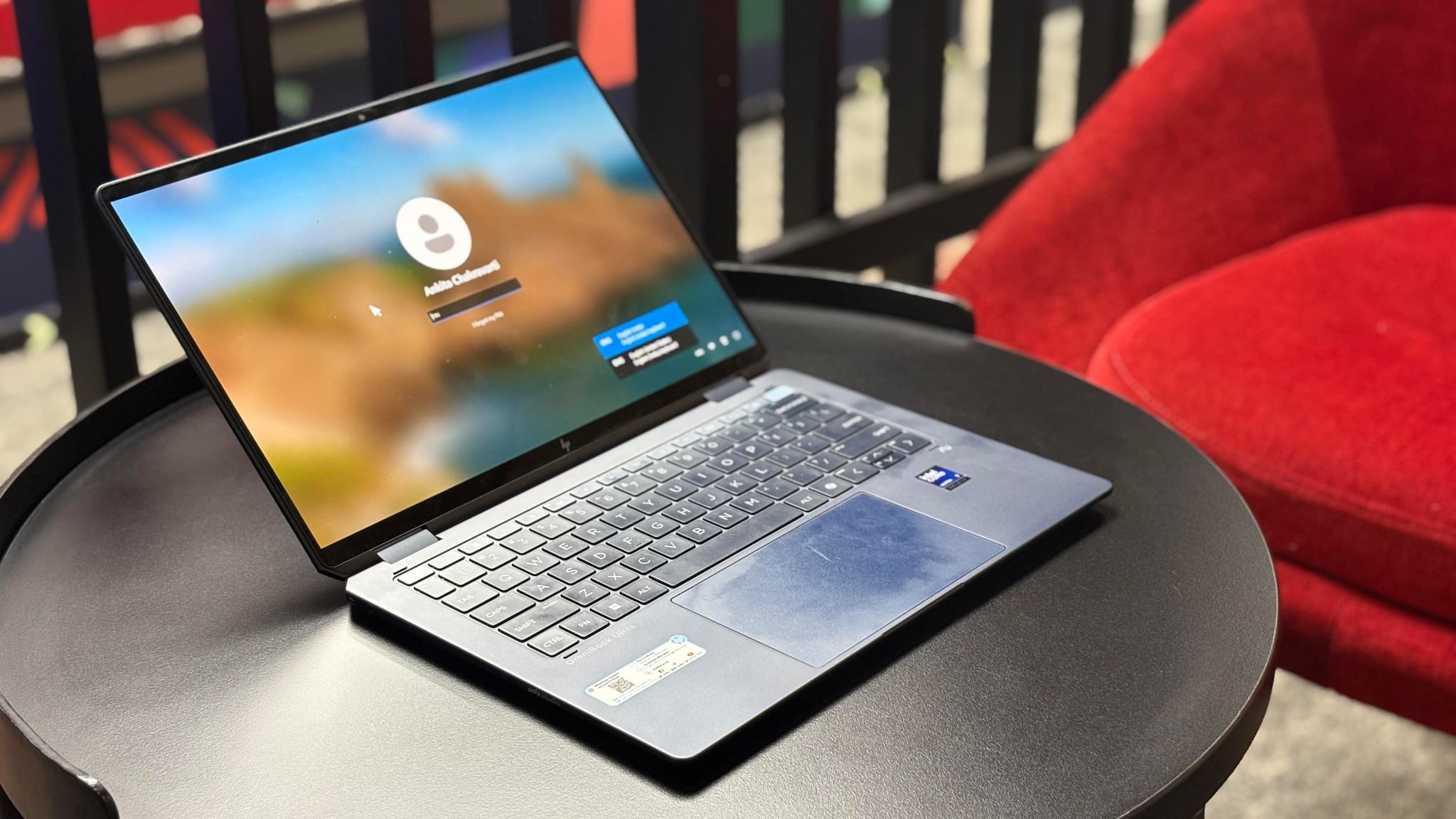
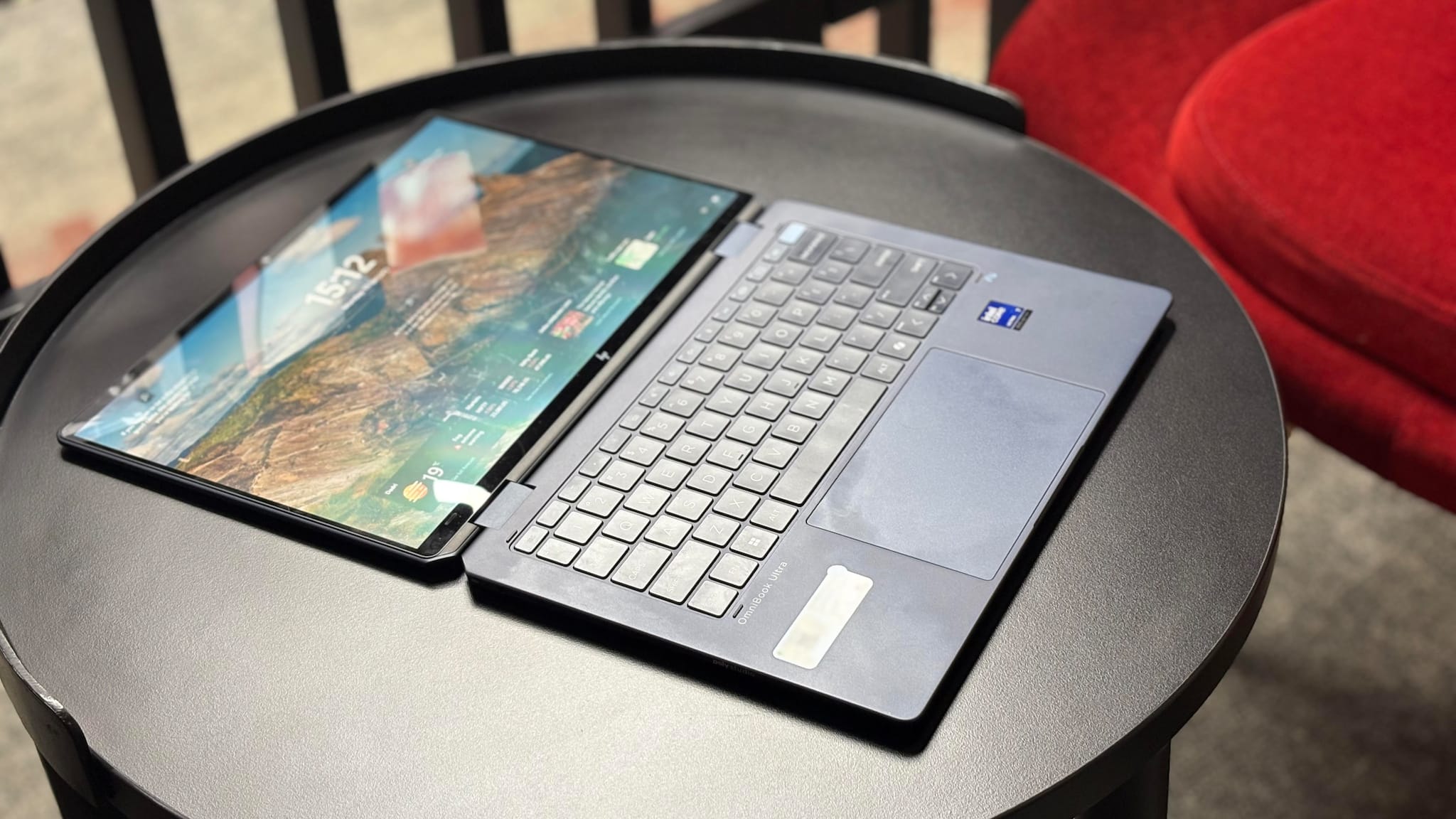
Design and displayIf you want your laptop to look sleek, thin, and stylish, the HP OmniBook Ultra might just be the perfect pick for you. The first thing that catches the eye is the design — it’s incredibly thin and light, measuring just 14.9mm in thickness and weighing around 1.35 kg. I completely judged the book by its cover, but isn’t that what most regular consumers do?
 hp
hpAs I mentioned, I need to carry my laptop everywhere I go because such is the nature of the job. Thankfully, carrying the OmniBook didn’t require much effort. It didn’t weigh down my shoulders at all. I walked miles through the airport, from gate to gate, and barely noticed the weight. Surprisingly, I currently have a tablet with a keyboard, and that felt heavier than the HP OmniBook Ultra Flip!
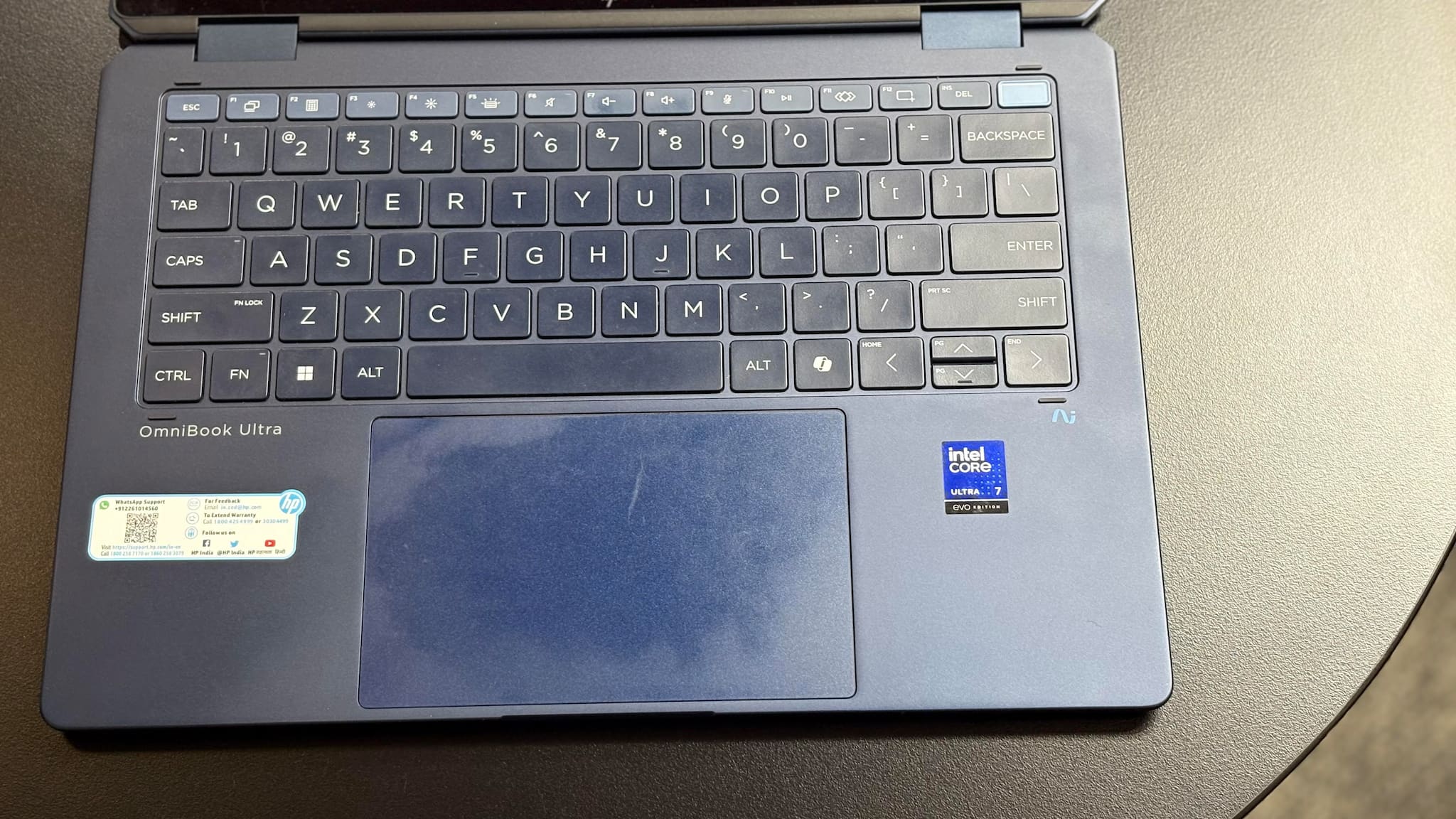
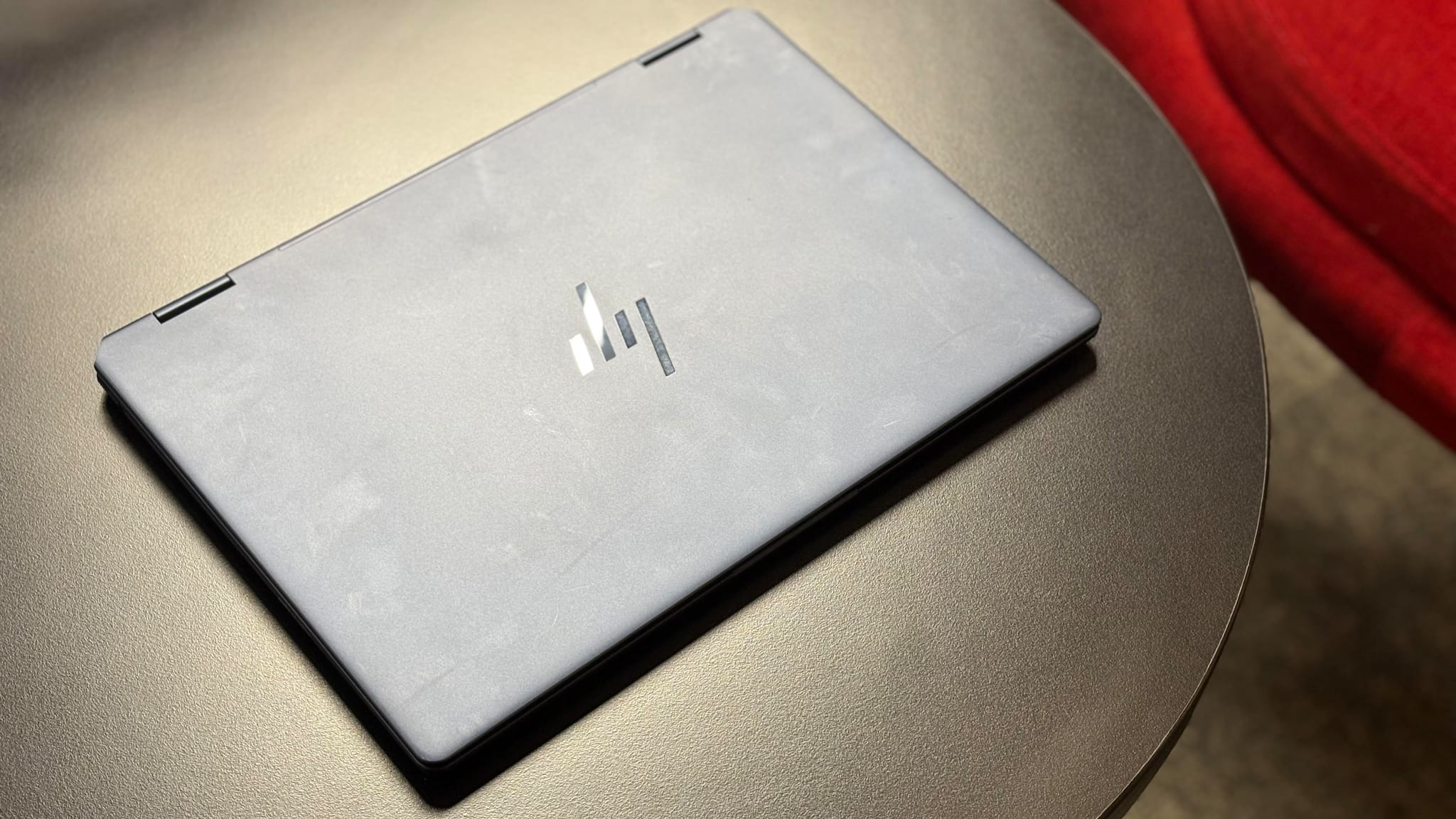
The laptop has an aluminum body. It comes with an anti-fingerprint coating on the chassis. However, the touchpad attracted smudges quite a bit—in fact, after just one use, you could tell that multiple hands have touched the surface. So, I’m not sure if the anti-fingerprint coating truly helps in this regard.
 HP
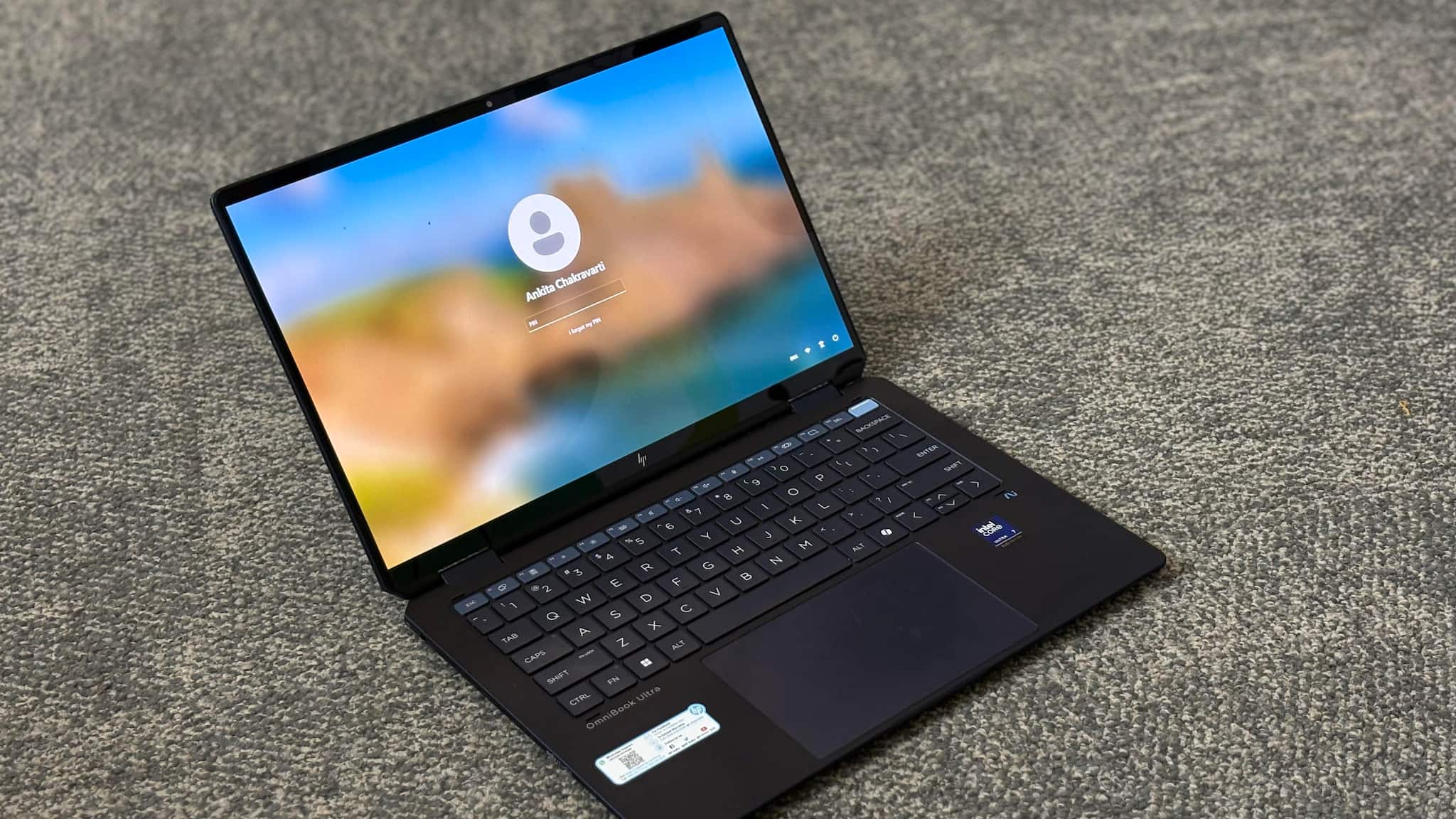
HPComing to the colour options, the device has been offered in two elegant color options—Atmospheric Blue and Eclipse Gray. I received the Atmospheric Blue, which I definitely prefer over the bland black.
The build quality is excellent. Despite being slim, I have not had doubts about its sturdiness or durability during use. The laptop features Gorilla Glass 5 to protect the screen. Thanks to its 360-degree hinge mechanism, you can easily switch between laptop and tablet modes. The hinge is incredibly smooth, which makes it a good choice for designers or casual sketchers who can use the stylus included in the box. However, I faced a lot of difficulty connecting the stylus to the device—it didn’t pair even after the device was fully charged. It is something that HP needs to take a look at.
As for the keyboard, since my job involves writing for the better part of the day, key feedback is very important to me. In fact, it is important for most people. In the HP OmniBook Ultra, the keys offer just the right amount of travel, and the tactile feedback is satisfying. The touchpad is surprisingly smooth and responsive for a Windows laptop – it still falls short of what the Apple offers on a MacBook though.
 HP keyboard
The 14-inch 2.8K OLED panel is impressive but reflective. The laptop features 16:10 aspect ratio, which offers more vertical screen space—it is ideal if your job involves editing documents or browsing the web. The display supports variable refresh rates from 48Hz to 120Hz, so it changes based on what you are doing. Watching movies on the HP Omnibook Ultra was a delight.The vibrant colors and deep blacks made the visuals pop. The speakers, though not loud enough, offer punchy bass and do not distort even at high volumes.
My favourite thing about the design, however, was not the display or the color variant—it was the diamond-cut USB Type-C ports located on the hinges of the device. I found this placement extremely convenient as it prevented my charger from bending. It also saved space and allowed the brand to include more ports despite the laptop’s slim form factor.
Performance and batteryI have been using the HP OmniBook Ultra for over two weeks, and I have very few complaints about the device. The HP OmniBook Ultra is powered by the latest Intel Ultra Core 7 processor, making it one of the first devices to feature a Lunar Lake processor. Additionally, it includes Intel Arc graphics—these are some of the key technical specifications.
 HP Omnibook Ultra
My job typically involves opening multiple tabs of news websites, social media platforms, and more. As the day progresses, the number of tabs only increases rather than decreases. Besides work, I also end up watching movies, stream YouTube videos, and play light games on the device.
I was able to do all of that without any issues for as long as I used the device. However, one recurring problem, which I believe is a bug, occurred more than once: the screen would go blank for about a minute without me pressing any buttons or interacting with the screen in the middle of work. This issue happened three to four times during my usage. I don't know what caused it but other than that I did not face any major issue with the device. That said, my usage too was not very graphic heavy or intensive, it was in fact quite basic for a laptop that almost costs Rs 2 lakh but the laptop performed well nonetheless.
The HP OmniBook Ultra did not make that dreadful fan noise that many Windows laptops make. It remained quiet and cool, and I did not face any heating issues despite keeping the laptop on everyday for almost 8 to 9 hours a day.
Gaming on this laptop was fun, thanks to the powerful GPU and smooth performance. While it’s not a dedicated gaming laptop, it handled casual gaming with ease, and the visuals looked stunning on the OLED screen.
 HP
HPBefore using the HP OmniBook Ultra, I was under the impression that Windows laptops don’t last as long as MacBooks–I have tested enough Windows laptops over the years to confirm that my impression was well-founded. However, I was pleasantly surprised. The laptop comfortably ran for almost 7 hours on a single charge, even when I didn’t turn off the screen for a moment. On days when my usage was lighter than my regular workdays, I managed to get around 10 hours of battery life, with some charge left for the next day.
While this is way less than HP’s claim of 21 hours — and not even close to it — I am satisfied nonetheless. Another standout feature is the fast-charging support, which fully charges the laptop in under an hour. This is a blessing, especially when you are in a hurry.
VerdictA laptop so thin and light that I’d never want a tablet again. The HP OmniBook Ultra has managed to impress me not just because of its form factor, but also due to its sleek design, powerful performance, and AI features that make it a perfect fit for both work and play.
The OLED display is a treat for the eyes, and the battery life is one of the device’s standout features. It is best suited for people in creative fields, such as graphic designers and writers, as well as coders.
The OmniBook Ultra Flip is pricey, but it’s worth it if you’re looking for a top-notch laptop. You could get a MacBook Pro for the same price, but the OmniBook Ultra Flip has a lot going for it. If you’re not a Mac fan and you’re willing to spend a bit more, the OmniBook Ultra Flip is a great choice.


Discover the latest Business News, Sensex, and Nifty updates. Obtain Personal Finance insights, tax queries, and expert opinions on Moneycontrol or download the Moneycontrol App to stay updated!
Find the best of Al News in one place, specially curated for you every weekend.
Stay on top of the latest tech trends and biggest startup news.